
Appearance
Working offline
Field-Work is built to keep working when your phone doesn't have signal. You can carry on recording an investigation in a plant basement or out in the field, and everything you did is sent up as soon as you're back in range.
This page explains what to expect. For fixing sync problems, see Sync & troubleshooting.
How it works
When you first sign in, Field-Work downloads your RCAs, action items, sites, and colleagues onto the phone. After that, the app reads from what's on the device — which is why it stays fast and keeps working without a connection.
When you change something offline, it's saved on the phone and queued. When you're back online, the queue is sent to the server.
What works offline
| Offline | |
|---|---|
| Browsing your RCAs and action items | ✅ |
| Creating a Level 1 or Level 2 RCA | ✅ |
| Whys, root cause, proposed solution | ✅ |
| Creating and editing action items | ✅ |
| Assignee notes | ✅ |
| Taking photos and uploading files (under 10 MB) | ✅ |
| Opening a notification | ✅ |
| Renaming a document | ❌ needs a connection |
| Replacing a document | ❌ needs a connection |
| Deleting an already-uploaded document | ❌ needs a connection |
| Uploading a file over 10 MB | ❌ needs a connection |
Where something needs a connection, the app tells you: "This action requires an online connection."
Signs to look for
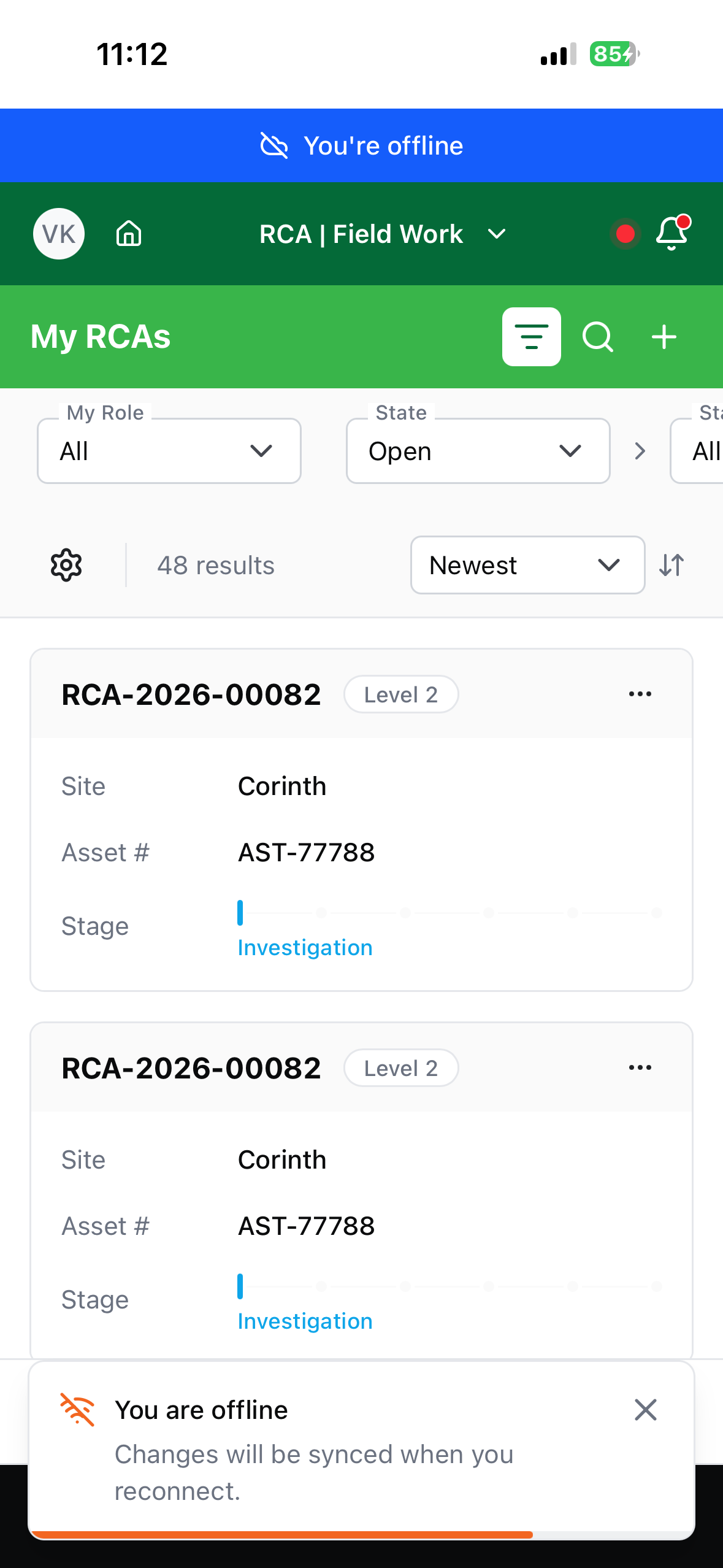
"You're offline" — a banner appears when the connection drops. Nothing is lost; carry on working.
"Saved locally - will sync when online" — confirms your change is safely on the phone and queued.
The connection badge in the header shows whether you're online and how many changes are waiting.
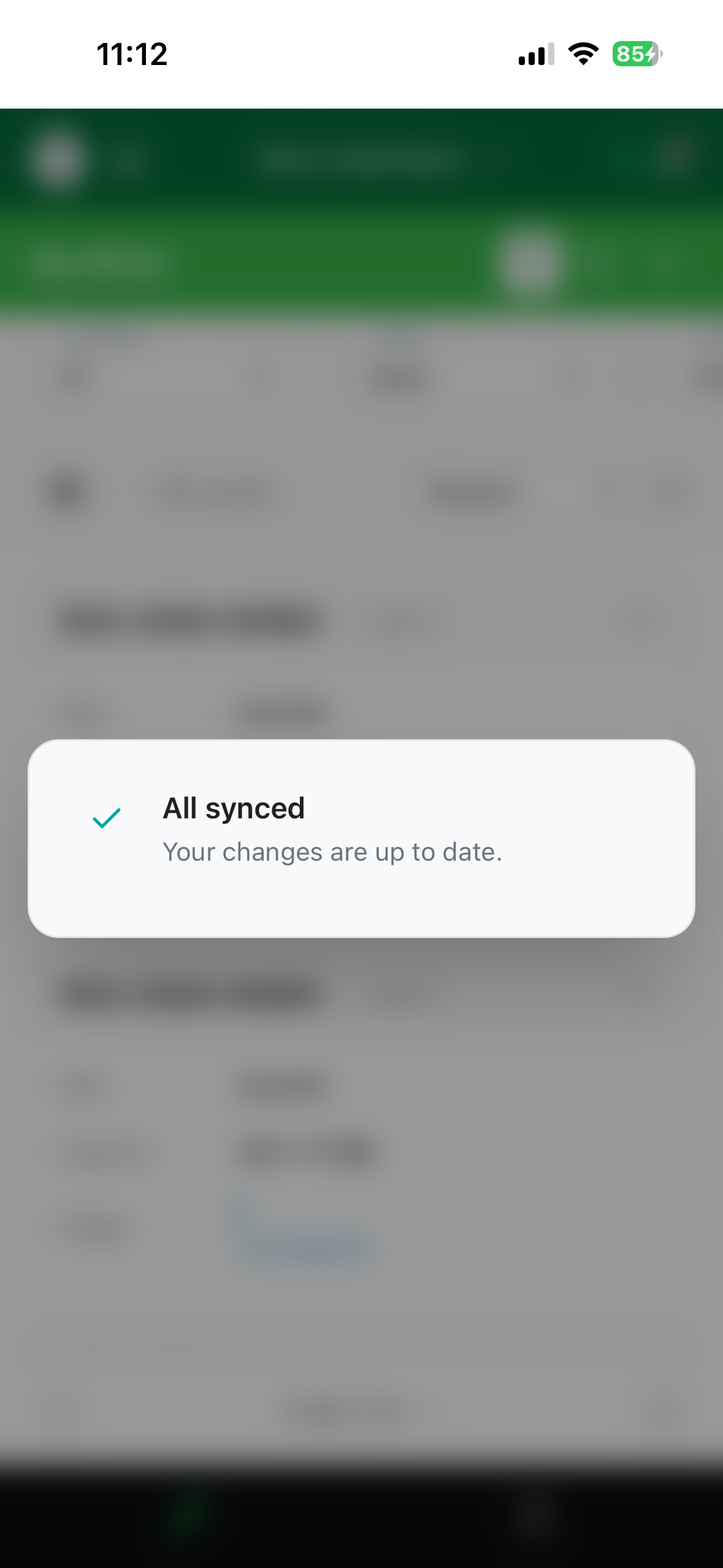
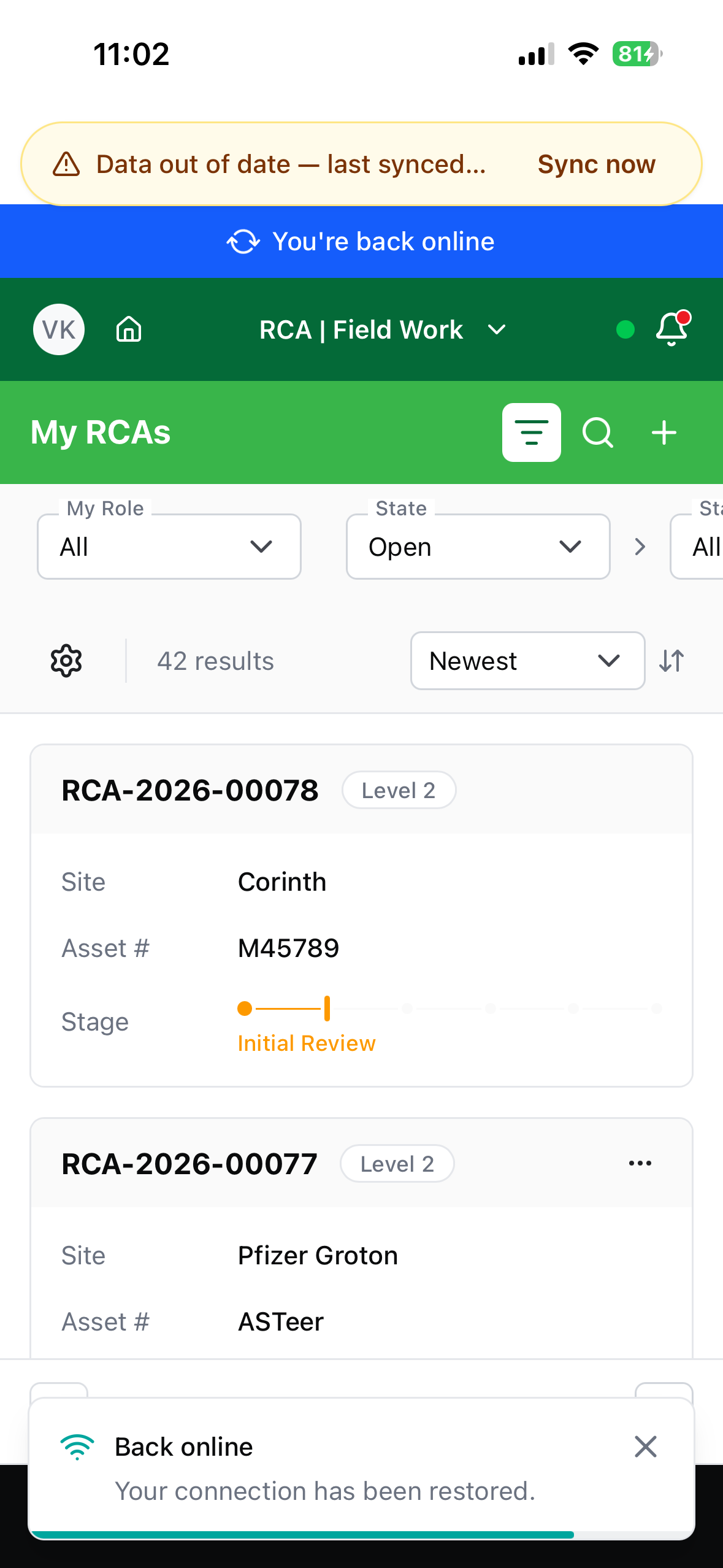
"You're back online" then "All synced" — when signal returns, Field-Work sends the queue and briefly confirms everything is up to date.
"Pending sync" on an RCA card — you created it offline, so it doesn't have its official ID yet. It gets one when it syncs.
If your data is getting old
If the app hasn't been able to fetch fresh data for a while, a banner appears offering Sync now. This matters when colleagues are working on the same RCAs — what's on your phone is a snapshot from the last time you had signal.
Signing out with unsynced changes
If you try to sign out while changes are still waiting, Field-Work stops you:
Sync before signing out — You have unsynced changes. Sync them now so nothing is lost.
Choose Sync now if you have signal. If you're offline, you'll see "You are offline — reconnect to sync these changes before signing out."
"Sign out anyway" discards your work
The Sign out anyway option exists for when you have no choice, but anything that hasn't synced is lost. Get back into signal and sync first whenever you can.
Getting the best out of it
- Open the app while you still have signal, before heading somewhere without it. That refreshes your data.
- Install it to your home screen — see Getting started.
- Sync before you sign out, and before you hand the phone over.
- Take photos as you go — they're compressed automatically and upload later.
Troubleshooting
| Problem | What to do |
|---|---|
| "This action requires an online connection." | Renaming, replacing, and deleting uploaded documents need signal. |
| "Files over 10 MB can only be uploaded while online." | Reconnect, or attach a smaller file — photos taken in the app are compressed automatically. |
| A colleague's update isn't showing | Your phone has a snapshot. Tap Sync now to pull the latest. |
The header shows a red ! badge | Something needs your attention — see Sync & troubleshooting. |
| Changes have been pending for a long time | Check you're really online, then see Sync & troubleshooting. |
| "Cannot start — First sync requires a connection" | The very first download needs signal — it can't be skipped. |