
Appearance
Action items
Action items are the tasks that come out of an RCA. Every RCA needs at least one corrective action item to be completed. Once a root cause is identified, the owner creates action items and assigns them; assignees do the work and submit it for the owner's approval.
You can only add action items after the root cause has been identified — the corrective action has to address something.
Corrective vs non-corrective
| Type | What it's for |
|---|---|
| Corrective | Fixes the root cause. At least one corrective action item is required to complete the RCA. |
| Non-corrective | A supporting or follow-up task that doesn't directly fix the root cause. |
Step 1 — Create and assign an action item
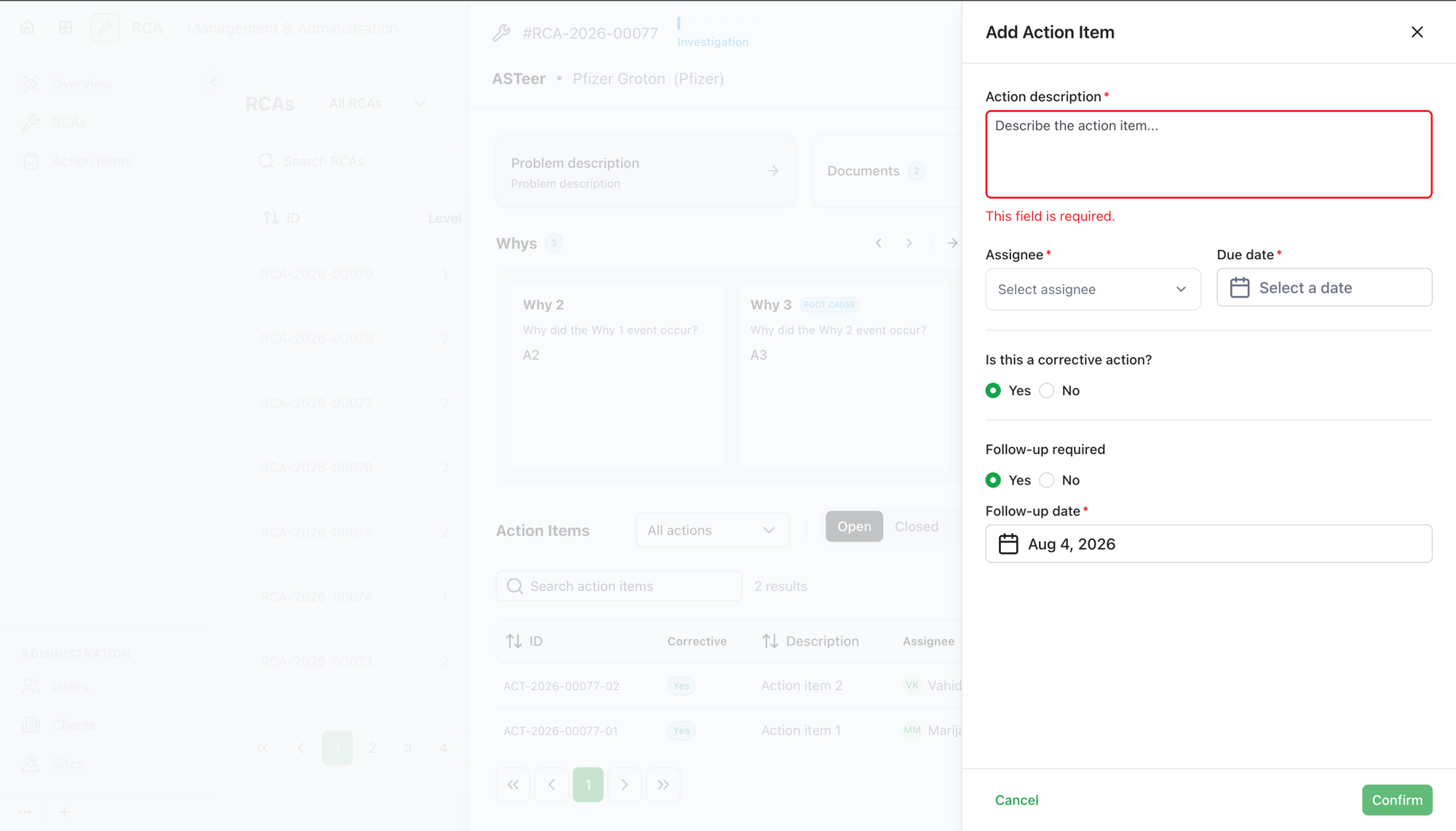
The RCA owner adds action items from the investigation:
- Select Add corrective action (or add an action item from the action-items section).
- Fill in the details:
| Field | What to enter |
|---|---|
| Description | What needs to be done. |
| Type | Corrective or non-corrective. |
| Assignee | Who does the work (optional — you can assign it later). |
| Due date | When it's due. |
| Follow-up required | Whether a follow-up is needed, and its date. |
Description and due date are required.
Step 2 — The assignee does the work
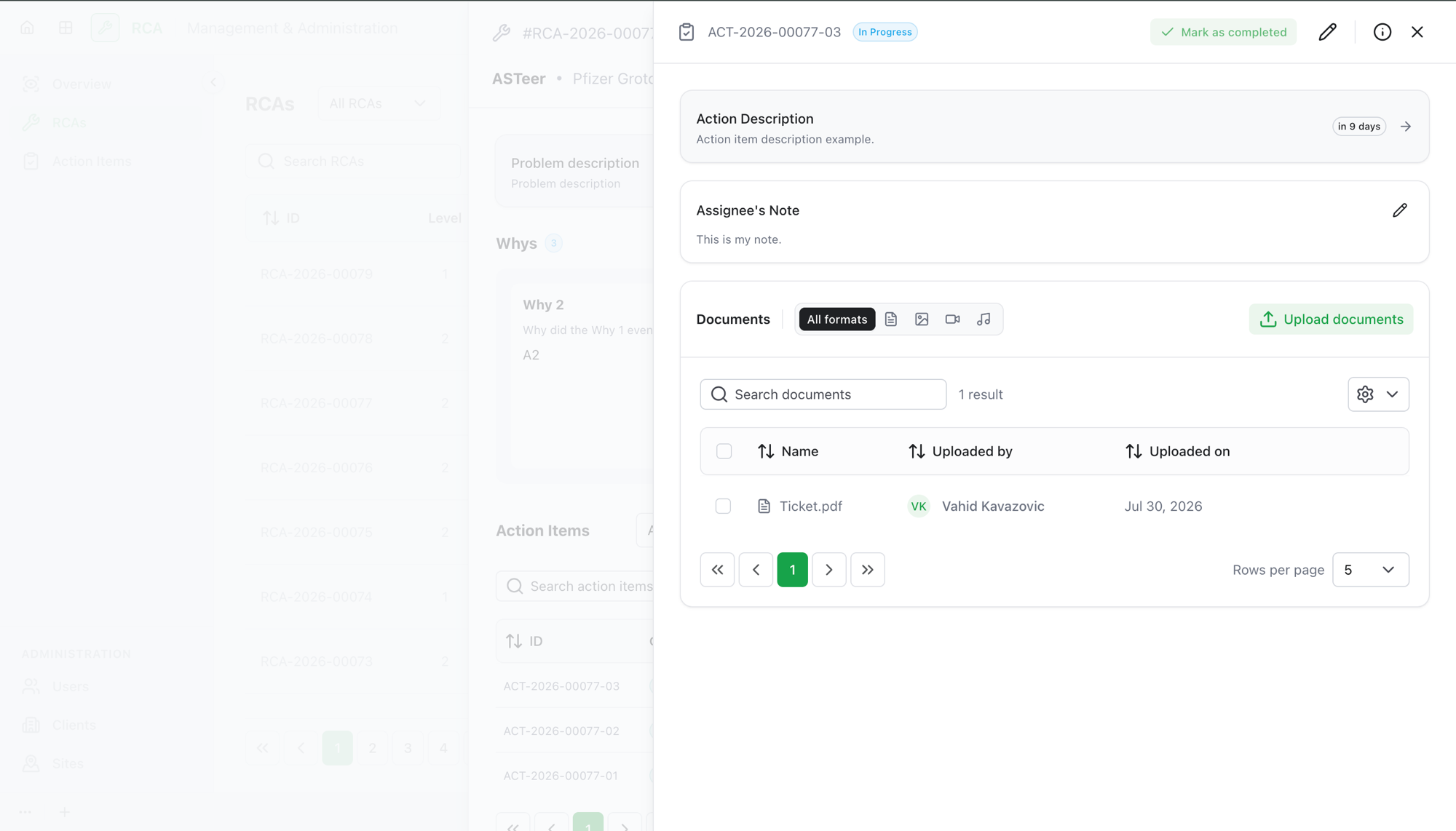
The person assigned an action item:
- Carries out the task.
- Adds an assignee note describing what was done.
- Uploads supporting documents as evidence.
- Selects Submit for approval.
Step 3 — The owner approves or rejects
The RCA owner reviews the submitted action item and either:
- Approves it — the action item is done, or
- Rejects it — leaving a comment explaining what's needed. The assignee addresses the comment and resubmits for approval.
A condensed approval-progress indicator shows where each action item stands.
What's next
- Once every corrective action item is handled and the root cause is described, you can complete the RCA (Level 1) or submit it for review (Level 2).
Troubleshooting
| Problem | What to do |
|---|---|
| You can't add an action item | Action items can only be added after a root cause has been identified in the investigation. |
| Submit for approval is unavailable | The assignee usually needs to add a note and at least one supporting document before submitting. |
| A rejected action item is blocking completion | The assignee must resolve the owner's rejection comment and resubmit for approval. |
| The RCA won't complete | Completion needs a described root cause and at least one corrective action item — a non-corrective item alone isn't enough. |