
Appearance
Rejections & rework
When a reviewer or approver rejects a Level 2 RCA, it goes back to the owner for rework. This page covers what happens on a rejection and how the owner gets the RCA back on track.
What a rejection does
A rejection at any review stage — Initial Review, Formal Approval, or Final Review — sends the RCA back to Investigation with the reviewer's comments left open. The owner has to address those comments before the RCA can go forward again.
Step 1 — Read the comments
Reviewers attach comments to the specific parts of the RCA that need work (for example, on the root cause or the proposed solution). A final-review rejection includes a general comment explaining the reviewer's rationale.
Open the comments panel to see every comment that needs addressing.
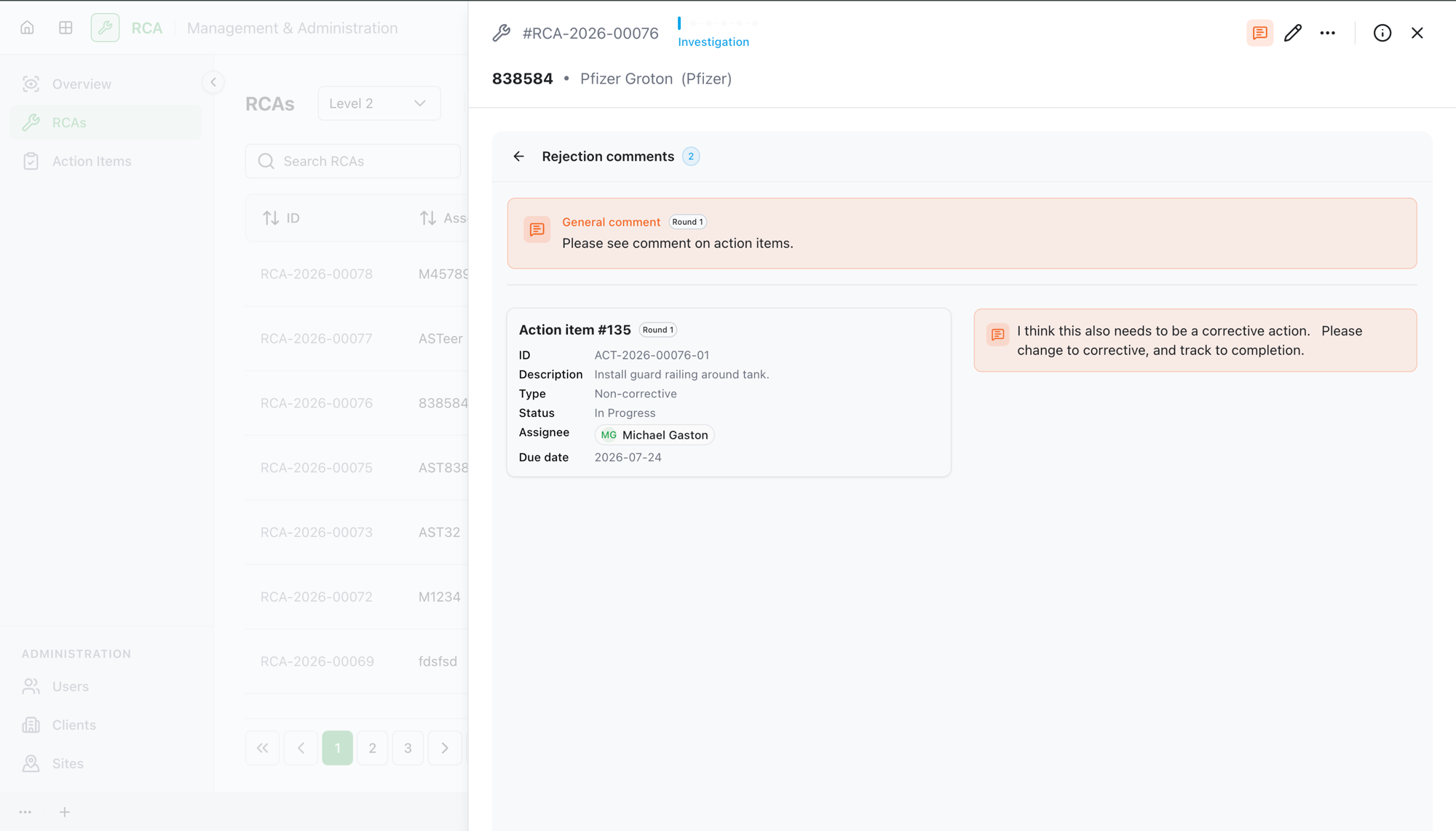
Step 2 — Address and resolve each comment
For each comment, the owner:
- Makes the change the comment asks for (updating the relevant part of the RCA).
- Marks the comment as resolved.
Every rejection comment must be resolved before you can resubmit. The RCA won't let you resubmit while any comment is still open.
Step 3 — Resubmit
Once all comments are resolved, the owner selects Resubmit for approval. This starts a new approval round: the RCA goes back through the review chain from the beginning, and the previous round's approvals and comments become history (you can still look them up by round).
What's next
- The RCA re-enters the approval chain from Initial Review.
Troubleshooting
| Problem | What to do |
|---|---|
| Resubmit for approval is disabled | Not all rejection comments are resolved yet. Open the comments panel and resolve each one. |
| You resolved the comments but the RCA still shows as rejected | Make sure you selected Resubmit for approval after resolving — resolving alone doesn't resend it. |
| You want to see a previous reviewer's comments after resubmitting | Earlier rounds are kept as history — look them up by approval round. |