
Appearance
Create a Level 1 RCA
A Level 1 RCA is the quick path — a single short form, then straight into the investigation. Use it for simple, repetitive, or low-impact failures. (Not sure which level to use? See RCA levels: L1 vs L2.)
Before you start
- You need permission to create and own an RCA — that's the administrator, approver, or contributor role.
- Have the basics on hand: the site, the asset number, and a short description of the problem.
Step 1 — Open the New RCA form
- Go to the RCAs screen.
- Select New RCA, then choose Level 1.
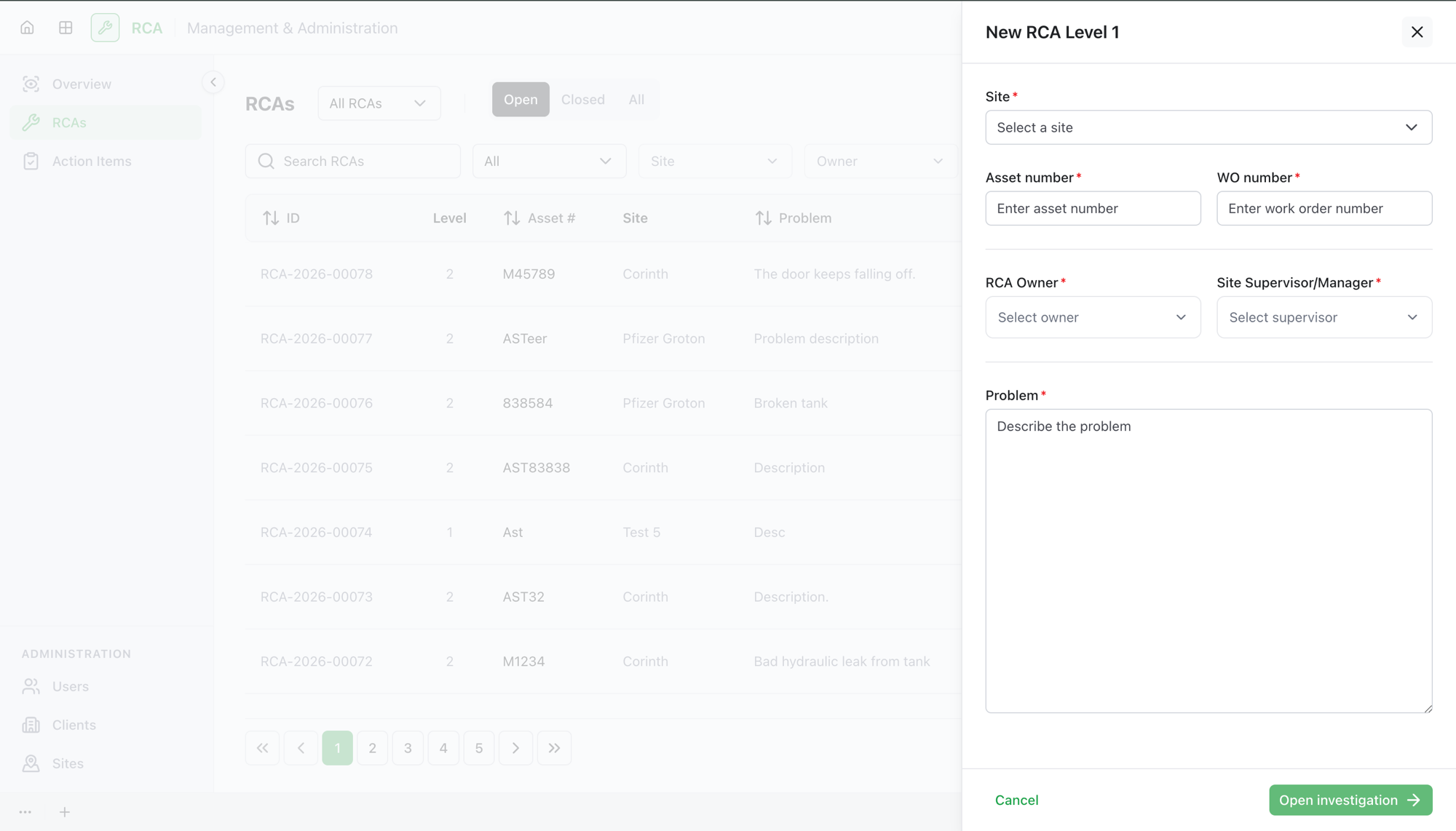
Step 2 — Fill in the form
Complete the Level 1 form:
| Field | What to enter |
|---|---|
| Site | The site where the failure occurred (pick from the list). |
| Asset number | The asset the RCA is about. |
| Work order number | The related work order, if there is one (optional). |
| RCA Owner | Who owns the analysis. The list shows users with the administrator, approver, or contributor role. |
| Site Supervisor / Manager | The supervising approver. The list shows approvers whose position is Site Supervisor or Site Manager. |
| Problem | A short description of what went wrong. |
Site, asset number, owner, supervisor, and problem are required; the work order number is optional.
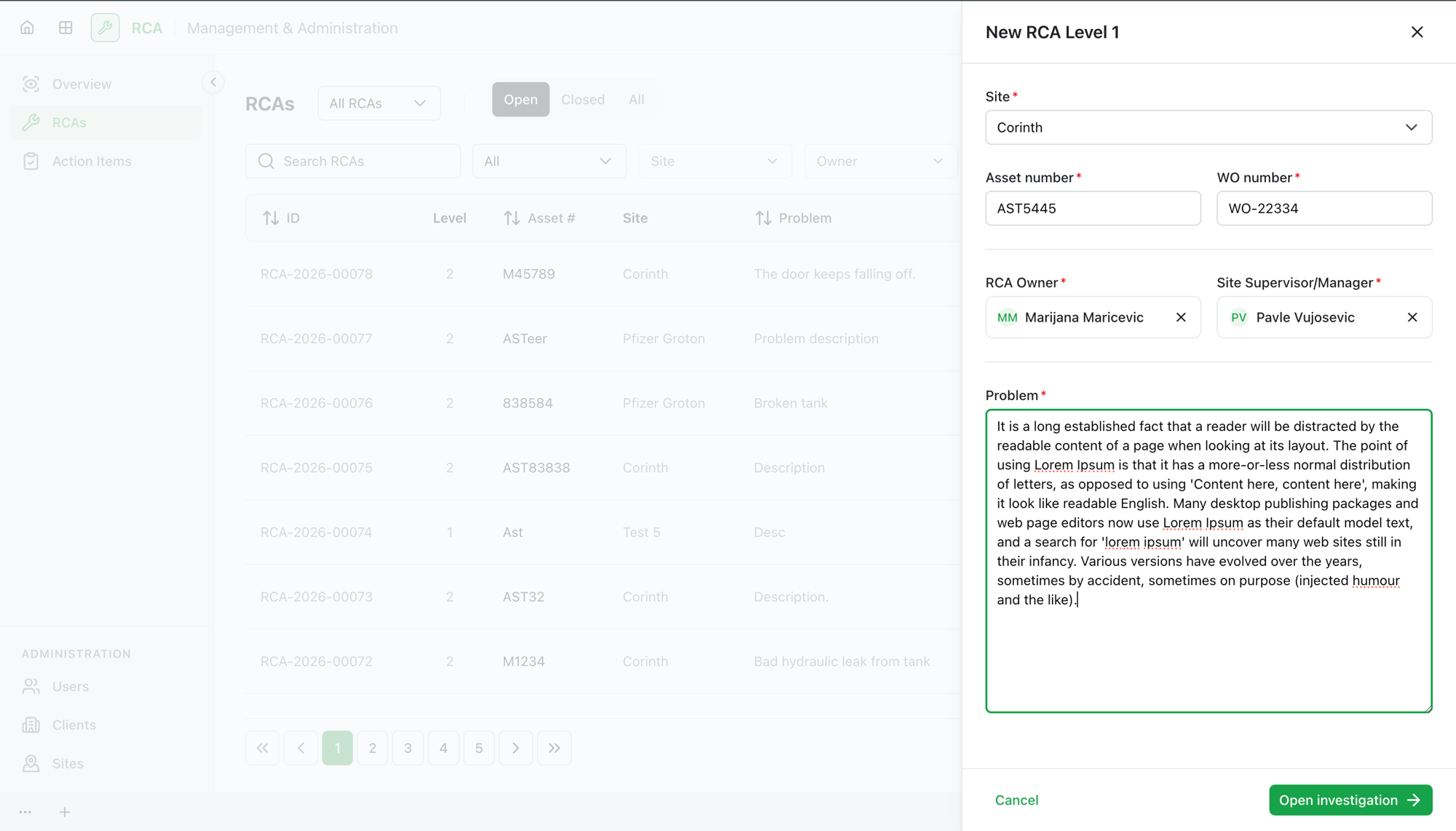
Step 3 — Save and start the investigation
Select Save. The RCA is created and its investigation opens right away — you can begin the 5-Why analysis immediately.
What's next
- Run the investigation — build the 5-Why chain and record the root cause.
- Add corrective action items, then complete the RCA.
Troubleshooting
| Problem | What to do |
|---|---|
| You don't see a New RCA option | You may not have a role that can create RCAs (administrator, approver, or contributor). Ask your administrator. |
| The person you want as owner isn't in the list | Owners must have the administrator, approver, or contributor role. Ask your administrator to set their role. |
| No one appears under Site Supervisor / Manager | That list only shows approvers whose position is Site Supervisor or Site Manager. Ask your administrator to assign the position. |