
Appearance
Corrective actions & reapproval (Level 2)
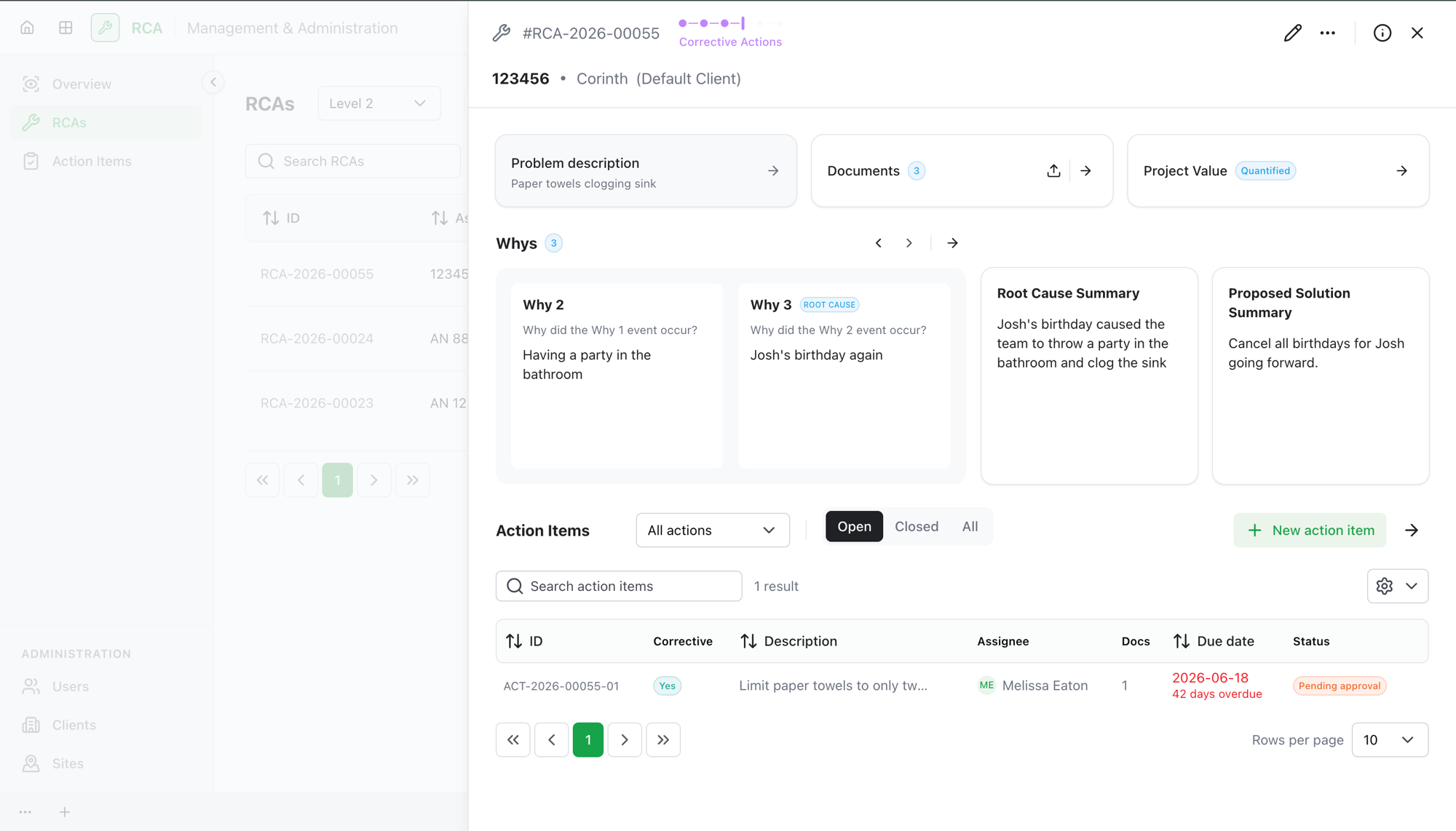
Once a Level 2 RCA clears the approval chain, it enters the Corrective Actions phase. This is where the team carries out the corrective work the RCA identified — and where a special rule applies: any change you make to the approved RCA has to be approved again before the RCA can be completed.
Where this fits
A Level 2 RCA moves through these stages:
- Investigation — build the analysis (5-Why, root cause, proposed solution, actions).
- Initial Review and Formal Approval — the approval chain signs off on the analysis.
- Corrective Actions — you are here — the team completes the action items.
- Final Review — a final sign-off completes the RCA.
Working in the Corrective Actions phase
In this phase the team completes the corrective action items that came out of the investigation — each assignee does their work, adds a note and evidence documents, and submits, and the owner approves or rejects each one.
The analysis itself (the problem, root cause, proposed solution, project value, action items, and documents) has already been approved. So it should stay as it was signed off — but if you do need to change something, the app lets you, and tracks it.
Changes require reapproval
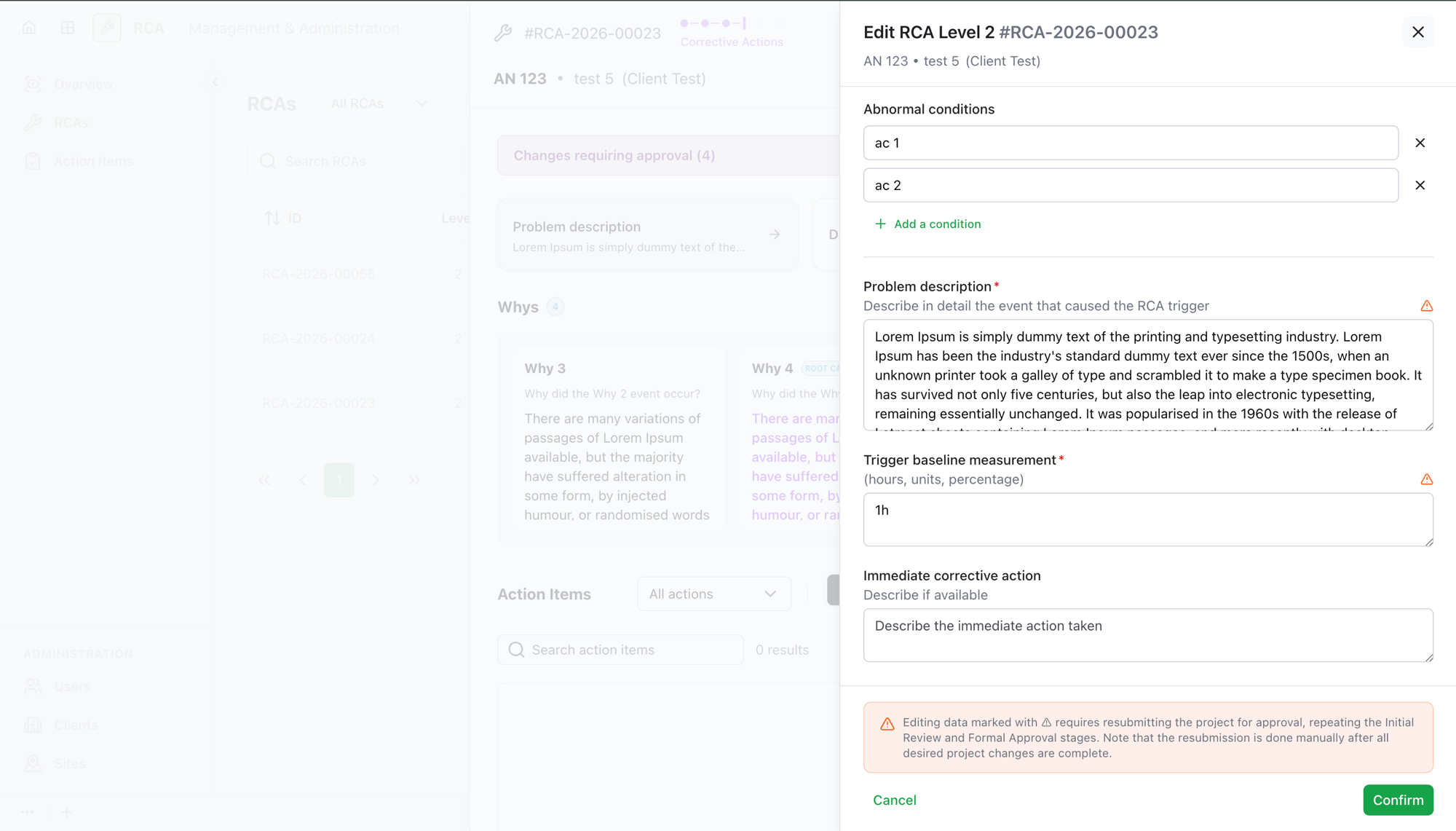
Editing an already-approved RCA is allowed, but it is not free: every change you make in the Corrective Actions phase is recorded as a change requiring approval. When you try to edit, add, or delete data that carries this rule, the app shows a warning:
Changes require project reapproval Editing this data requires resubmitting the project for approval, repeating the Initial Review and Formal Approval stages.
Note that the resubmission is done manually after all desired project changes are complete.
You then choose:
- Proceed anyway — make the change. It's recorded, and the RCA now carries a pending change that will need reapproval.
- Don't proceed — cancel the edit and leave the approved data as it was.
Fields that carry this rule are marked with a warning icon while you edit, and the editor shows the same reapproval notice, so you can tell at a glance which edits will trigger reapproval.
Reviewing the pending changes
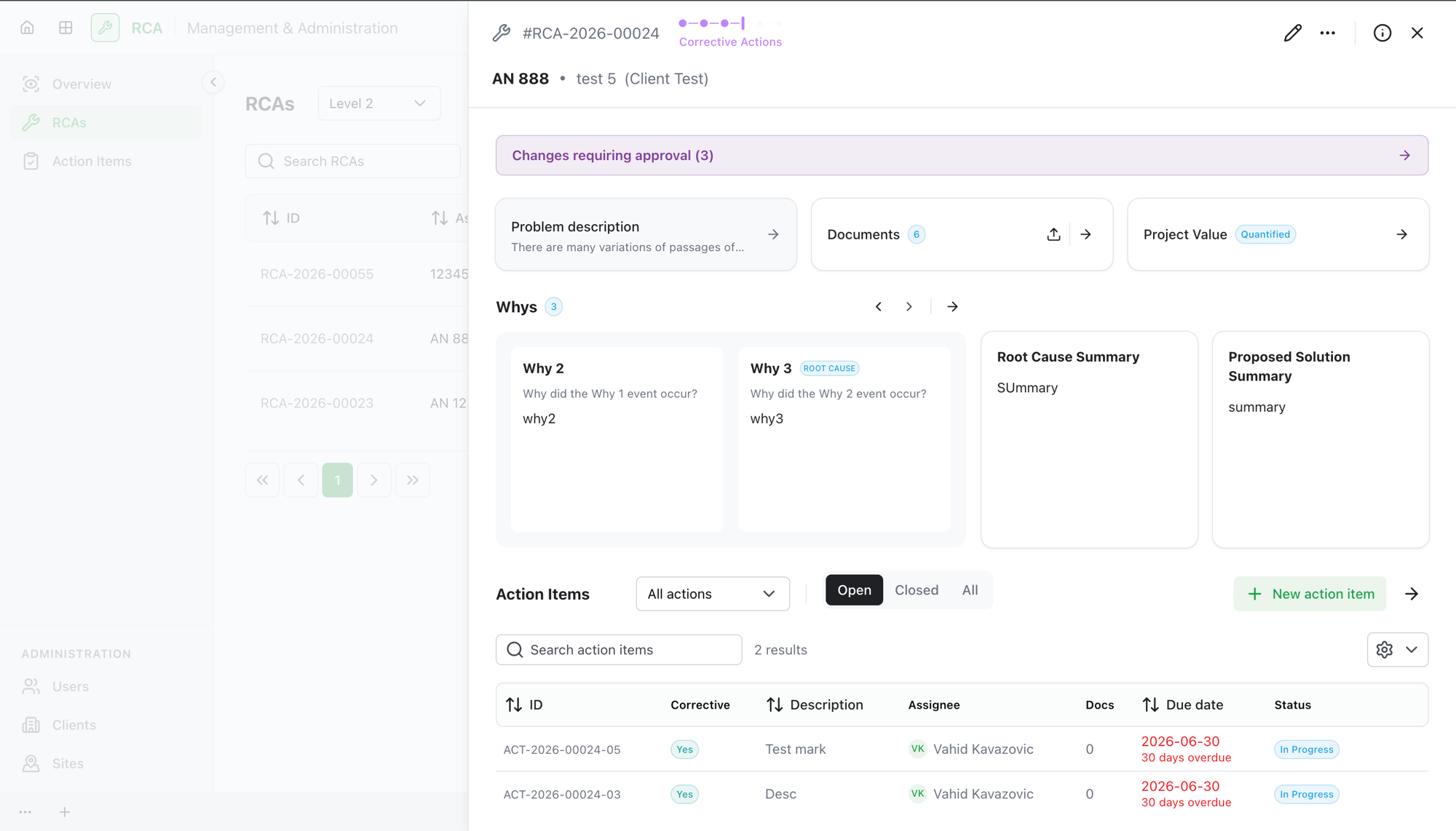
Once you've made tracked changes, a Changes requiring approval bar appears at the top of the RCA, showing how many pending changes there are.
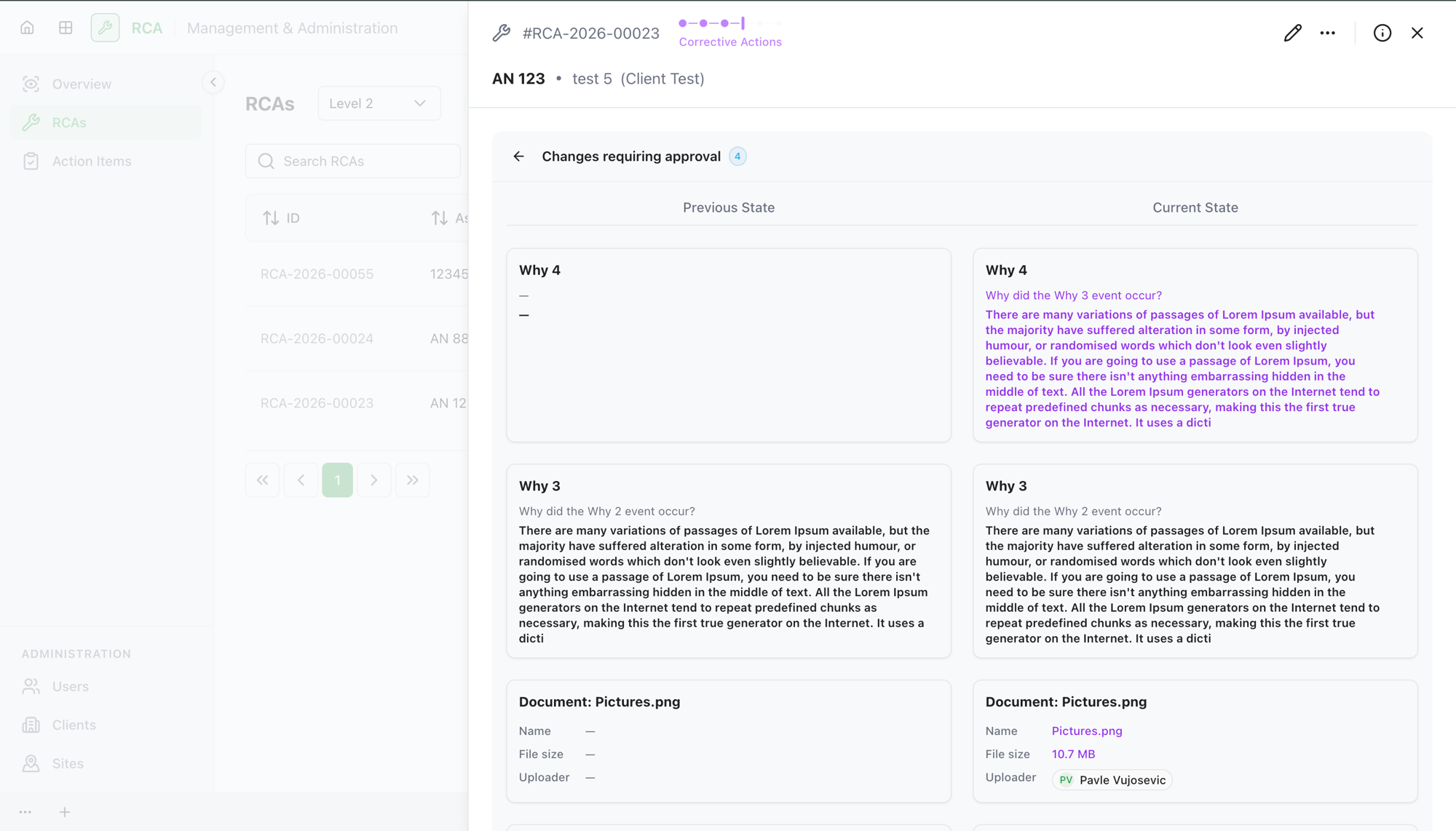
Open it to see the running list of every change you've made this round. Each one is shown as a Previous State → Current State comparison, so you (and later the reviewers) can see exactly what changed — for example a reworded root cause, a new action item, or a replaced document.
Finishing the phase: two ways out
When the corrective work is done, the owner submits the RCA onward. There are two buttons, and which one you use depends on whether you made tracked changes:
| Situation | Button | What happens |
|---|---|---|
| You changed approved data (there are pending changes) | Submit for reapproval | The RCA goes back to Initial Review, and the whole approval chain runs again on a new round. Admins are notified. |
| You made no tracked changes | Submit for final review | The RCA goes straight to Final Review for the final sign-off — no need to repeat the approval chain. |
Both are manual: nothing resubmits automatically. Finish all the changes you intend to make first, then submit once.
What reapproval does
Submit for reapproval starts a new approval round:
- The RCA returns to Initial Review, then goes back through Formal Approval with the full approver chain.
- The reviewers see the Changes requiring approval list, so they're reviewing exactly what changed since the last approval — not the whole RCA from scratch.
- Earlier rounds are kept as history; you can look them up by round.
Once the RCA clears the chain again, it comes back to the Corrective Actions phase, and from there you submit for final review.
What's next
- Final review, completion, and the rest of the lifecycle — the last sign-off that completes the RCA.
- Work the action items that make up the corrective work in this phase.
Troubleshooting
| Problem | What to do |
|---|---|
| A warning popped up when you edited an approved field | That's expected — editing approved data in this phase requires reapproval. Choose Proceed anyway to make the change, or Don't proceed to keep it as approved. |
| Submit for reapproval is disabled | There are no tracked changes to reapprove. If you didn't change any approved data, use Submit for final review instead. |
| You want to skip the approval chain but the app is asking for reapproval | You (or someone on the team) edited approved data this round. Reapproval can't be skipped once approved data has changed — the change has to be signed off. |
| You're not sure what changed | Open the Changes requiring approval panel — it lists every change this round as a before/after comparison. |