
Appearance
The investigation (5-Why)
The investigation is the heart of an RCA. You work through a chain of "Why?" questions to get from the symptom to the real root cause, then describe it. This works the same way for both Level 1 and Level 2 RCAs.
What the 5-Why technique is
The 5-Why technique gets past surface symptoms to the underlying cause by asking "Why did that happen?" repeatedly. Each answer becomes the basis for the next question, so you dig one layer deeper each time. Going at least a few levels deep is what separates the real root cause from an early symptom — which is why you can only mark a root cause from the third Why onward.
Step 1 — Build the Why chain
You add Why questions one at a time, answering each before moving on:
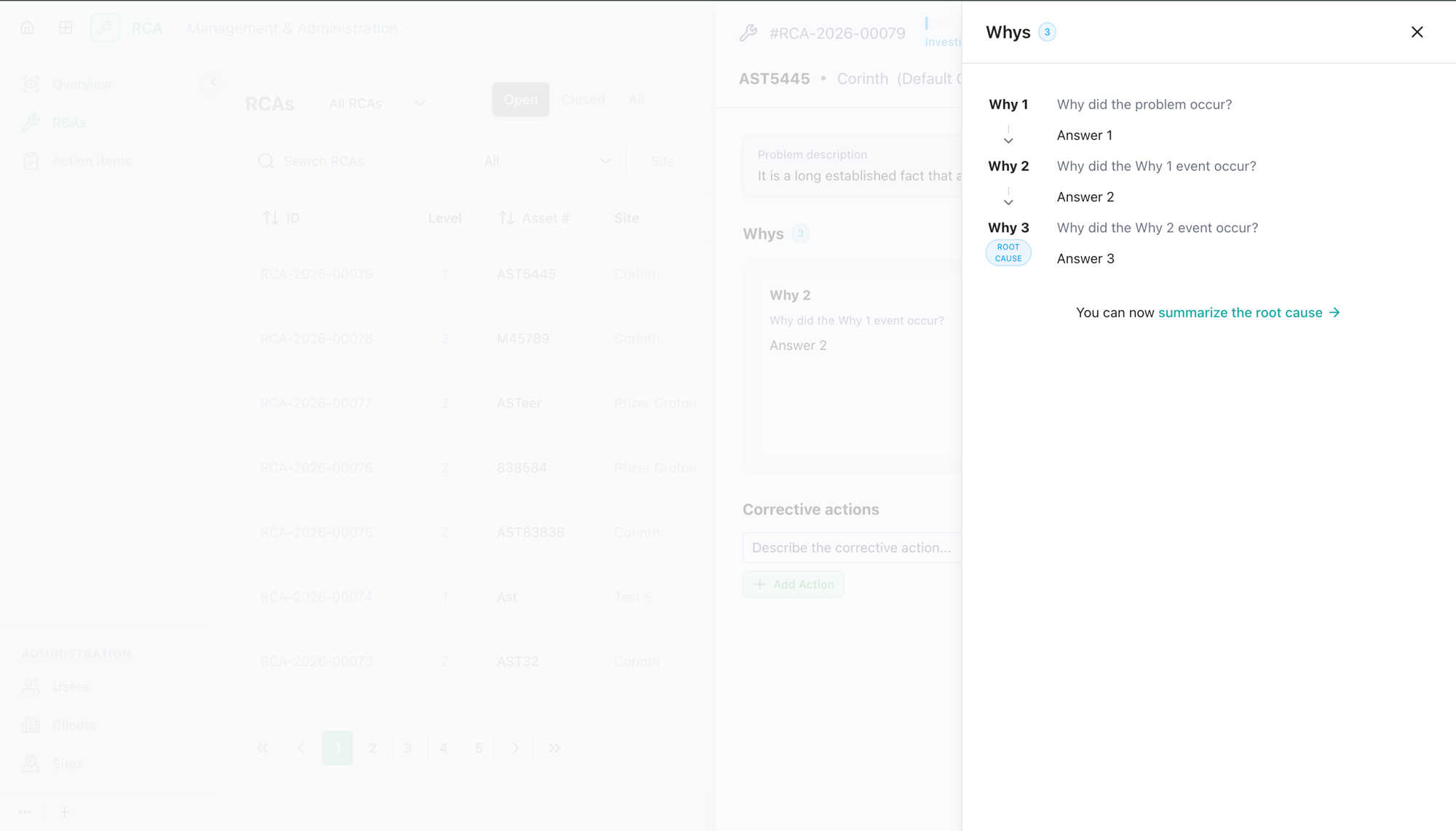
- Select Add a Why. The first question is "Why did the problem occur?"
- Write the answer.
- Add the next Why. Each one builds on the last — "Why did the Why 1 event occur?", then "Why did the Why 2 event occur?", and so on.
- Keep going until you've reached the underlying cause — typically at least three levels deep.
You can edit or delete a Why as you refine the chain.
Step 2 — Mark the root cause
Once you're at least three Whys deep, mark the one that represents the true root cause:
- Open the Why you've identified as the root cause (the option to mark it appears from the third Why onward).
- Mark it as the root cause.
Only one Why can be the root cause at a time — marking a new one automatically unmarks the previous.
Step 3 — Describe the root cause
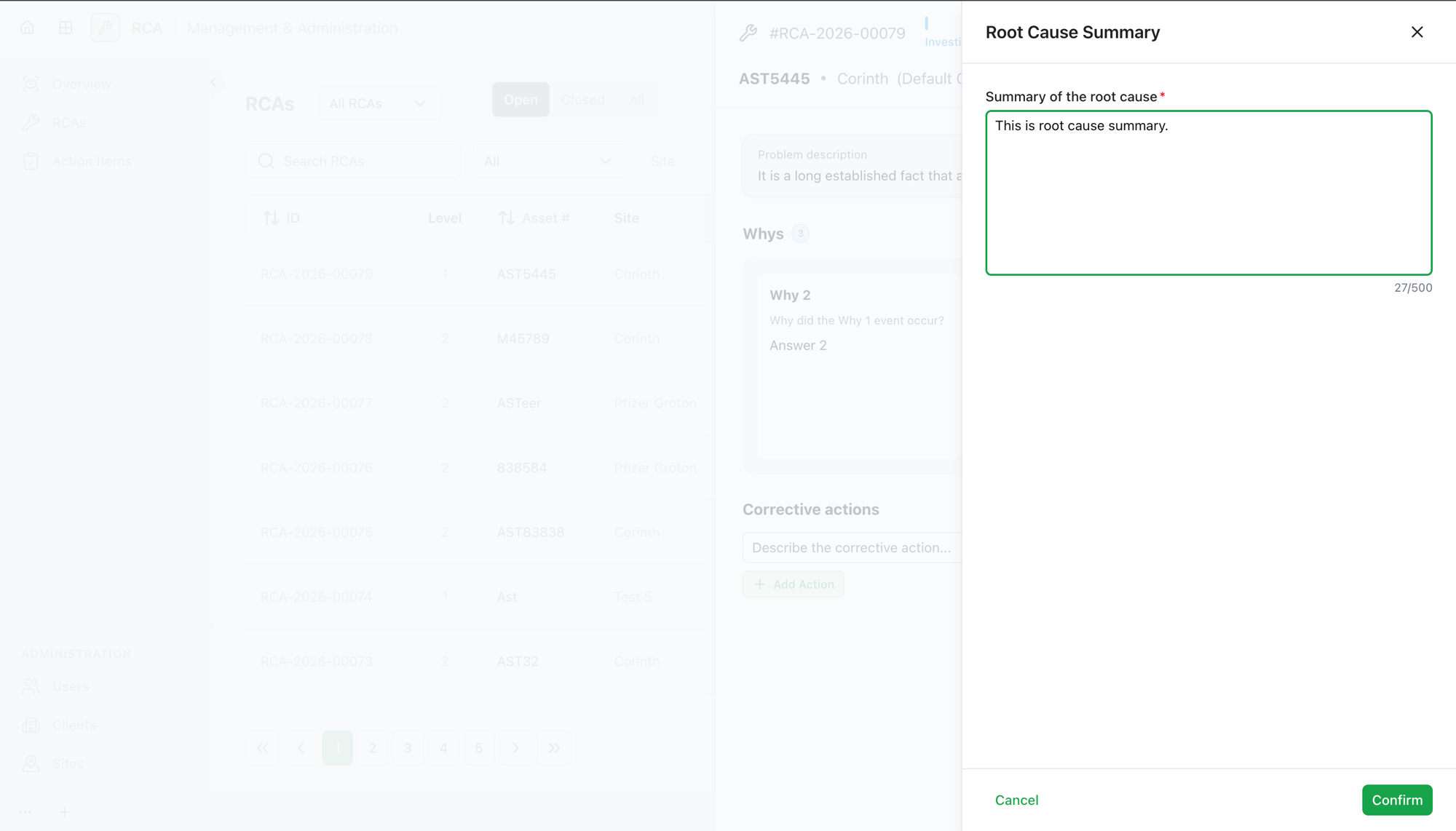
Write the root cause description — a clear summary of the underlying cause the 5-Why chain led you to. This is required to complete the RCA.
What's next
To complete the RCA, you must identify the root cause, describe it, and list at least one corrective action item.
- Add corrective action items.
- For Level 1: complete the RCA. For Level 2: write the proposed solution, then submit for review.
Troubleshooting
| Problem | What to do |
|---|---|
| You can't mark a Why as the root cause | The root-cause option only appears from the third Why onward. Add more Whys until you've reached the underlying cause. |
| You marked the wrong Why as root cause | Mark the correct one — the previous root cause is unmarked automatically. Or open the marked Why and clear the root-cause selection. |
| You can't complete the RCA | Completion needs three things: a marked root cause, a root-cause description, and at least one corrective action item. |