
Appearance
Cancel, reopen & validate
Three administrator actions sit outside the normal review flow. They let an administrator close an RCA that shouldn't continue, send a finished RCA back for more work, or lock a finished RCA as the final, confirmed record.
Who can do this
Cancel, Reopen, and Mark as validated are all administrator-only actions. Owners and team members don't see them.
The end states
A completed RCA can go one of two ways:
- Validated — an administrator confirms the completed RCA as the final record. This is the closed, locked end state.
- Reopened — an administrator decides the completed RCA needs more work and sends it back to Investigation.
And at almost any point, an administrator can cancel an RCA that shouldn't proceed at all.
Reopen a completed RCA
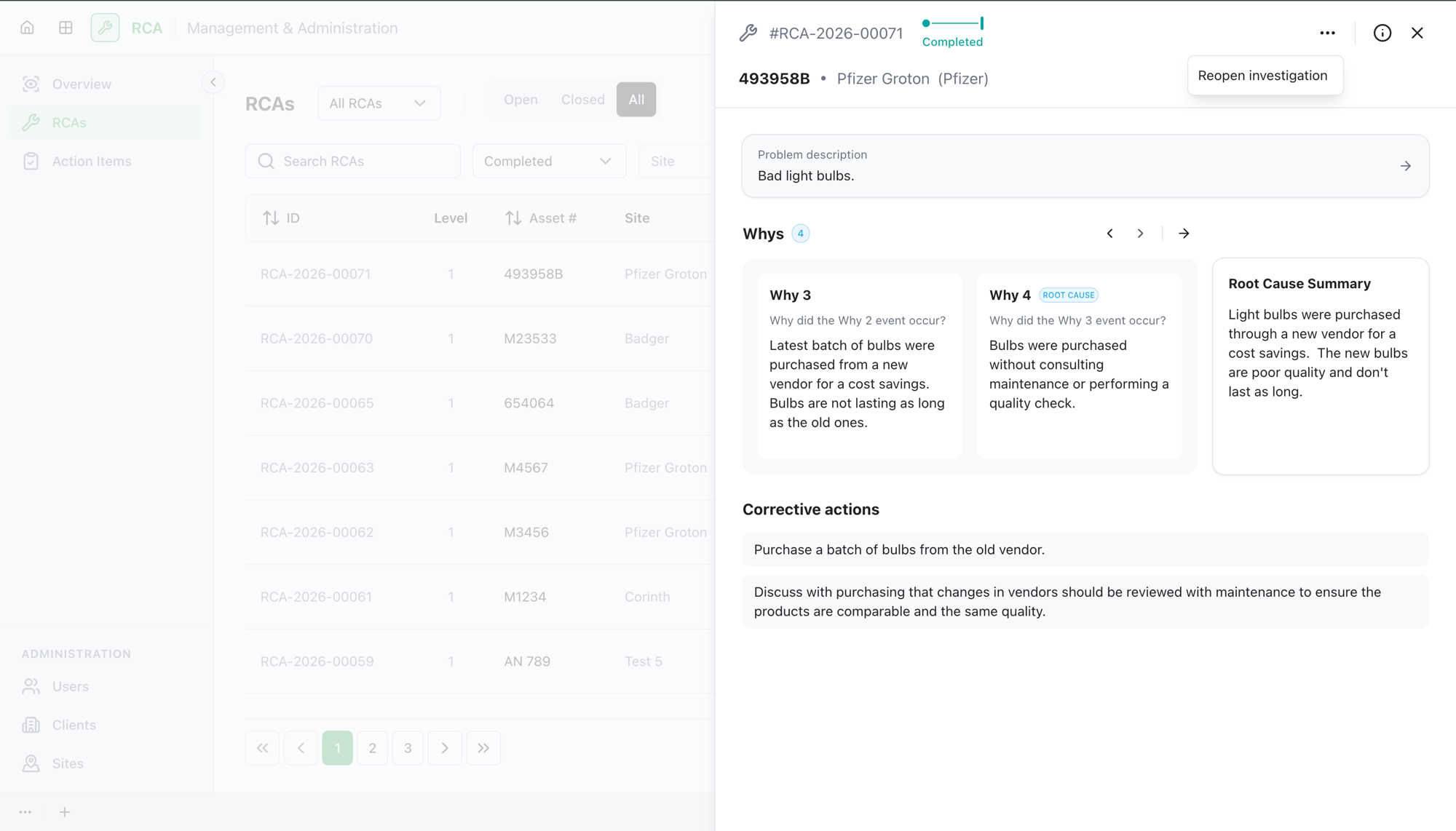
If a Completed RCA turns out to need more work, an administrator can Reopen it.
- Open the completed RCA.
- Select Reopen.
The RCA goes back to the Investigation stage so the team can revise it, and it will run through the review and approval flow again from there. Reopening starts a new approval round, so the previous round's approvals are kept as history.
Reopen only works before validation
You can reopen a Completed RCA, but not a Validated one. Once an RCA is validated, it's locked as the final record and can't be reopened.
Mark an RCA as validated
Validation is the final confirmation that a completed RCA is correct and closed.
- Open the Completed RCA.
- Select Mark as validated.
The RCA's status becomes Validated. This is the closed end state: a validated RCA can't be reopened or edited.
Validate only works on a completed RCA
You can only validate an RCA that has reached Completed. If it isn't completed yet, finish the review flow first.
Cancel an RCA
If an RCA shouldn't proceed at all — it was raised in error, duplicated, or is no longer relevant — an administrator can cancel it.
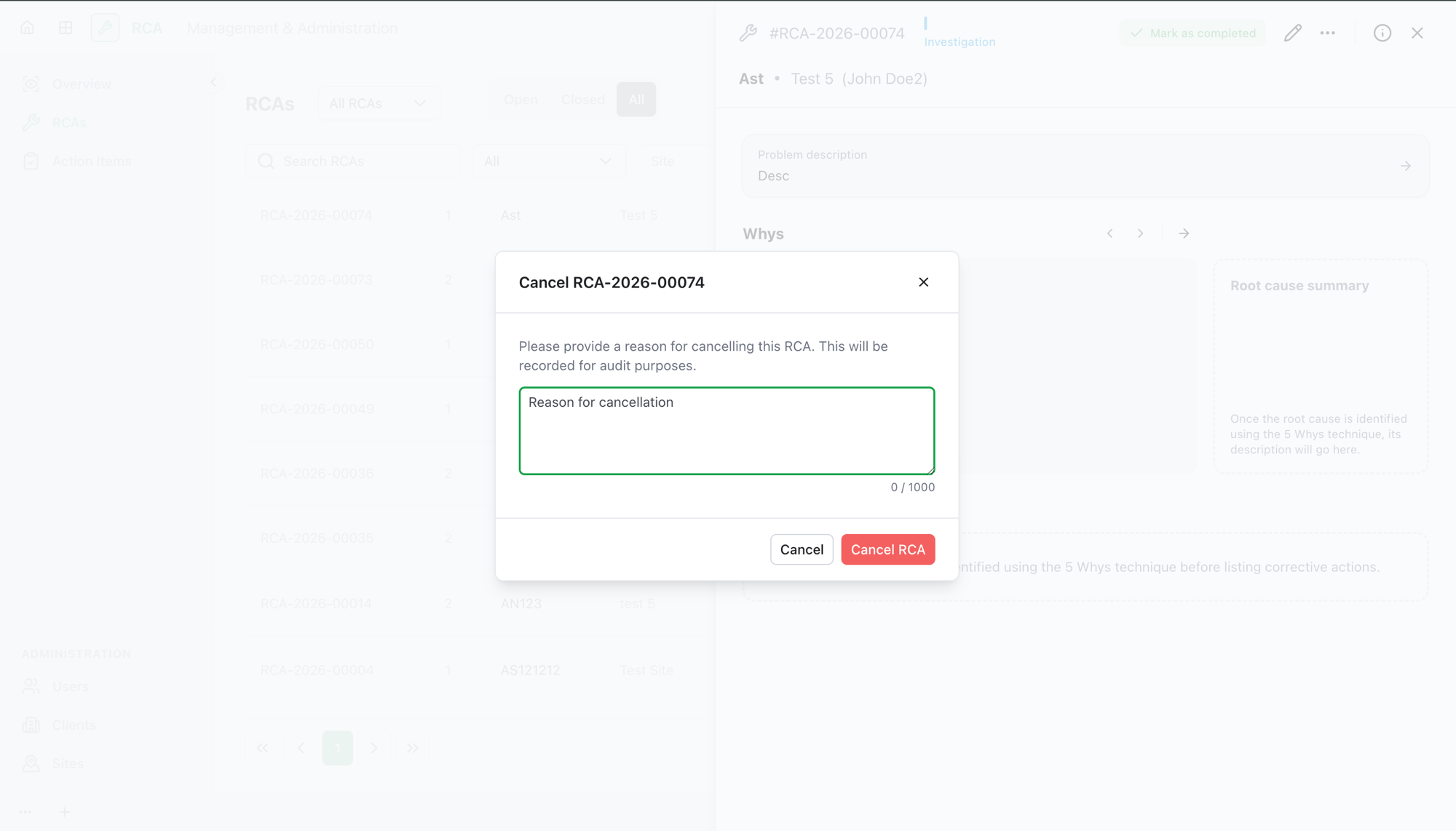
- Open the RCA and select Cancel RCA.
- In the Cancel RCA dialog, enter a reason for cancellation. A reason is required — it's recorded for audit purposes.
- Confirm.
The RCA's status becomes Cancelled, and the cancellation reason and timestamp are stored on the record. The RCA owner is notified.
You can cancel an RCA from almost any stage. The two exceptions are an RCA that's already Cancelled or already Validated — those are final states and can't be cancelled again.
What's next
- The approval workflow — how an RCA reaches Completed in the first place.
- Browse and filter RCAs by status, including Validated and Cancelled.
Troubleshooting
| Problem | What to do |
|---|---|
| You don't see Cancel, Reopen, or Mark as validated | These are administrator-only actions. If you need one, ask an administrator. |
| Reopen is unavailable on an RCA | Reopen only works on a Completed RCA that hasn't been validated. A validated RCA is locked. |
| Mark as validated is unavailable | Validation only works once the RCA has reached Completed. Finish the review flow first. |
| Cancel RCA won't confirm | A cancellation reason is required — enter one in the dialog before confirming. |
| You need to change a validated RCA | A validated RCA is locked as the final record and can't be reopened or edited. Create a new RCA if further work is needed. |