
Appearance
Client management
Clients are the top of the organizational hierarchy: a client has one or more sites, and RCAs are raised against those sites. The Clients page is where administrators create and manage them.
Administrators only
Client management is available to administrators only.
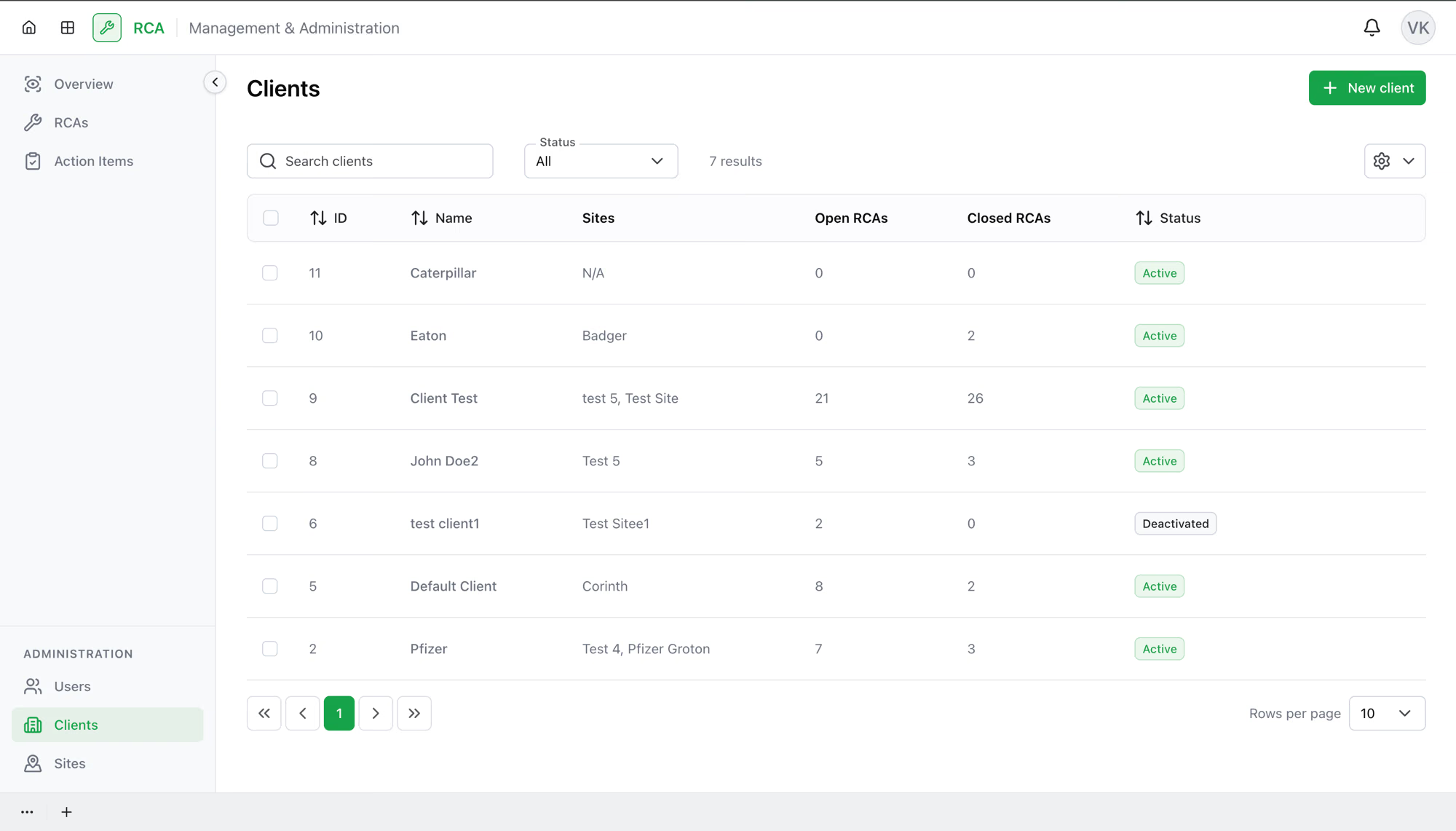
Creating a client
- Select New client.
- Enter the client's Name.
- Confirm.
A client just needs a name — you add its sites separately once it exists.
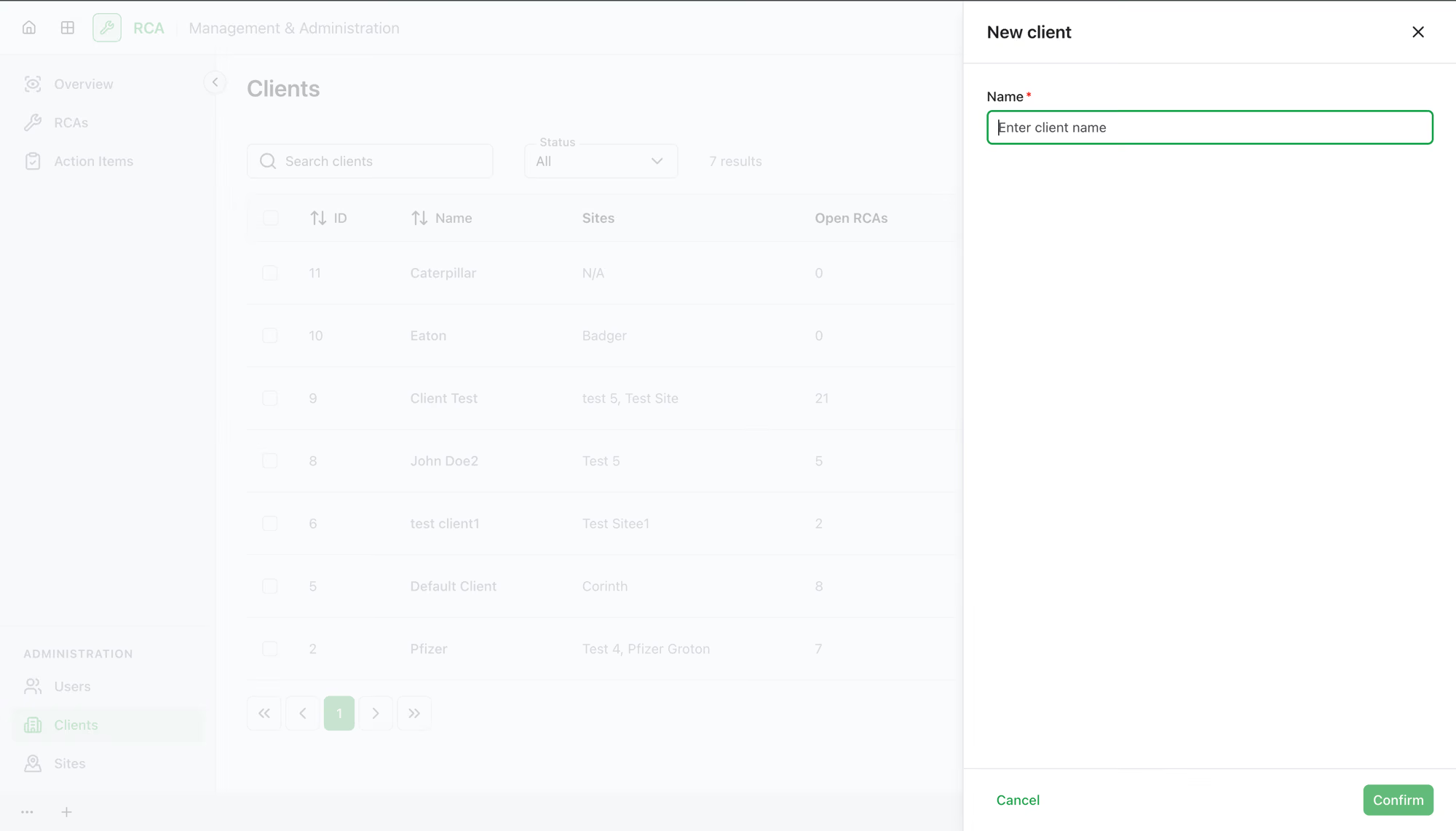
The columns
Each row is one client. The list can show:
| Column | What it shows |
|---|---|
| ID | The client's identifier. |
| Name | The client's name. |
| Sites | How many sites the client has. |
| Open RCAs | How many open RCAs across the client's sites. |
| Closed RCAs | How many closed RCAs across the client's sites. |
| Status | Active or Deactivated. |
Search by name with the Search clients box, and filter by Status (All, Active, Deactivated).
Managing a client
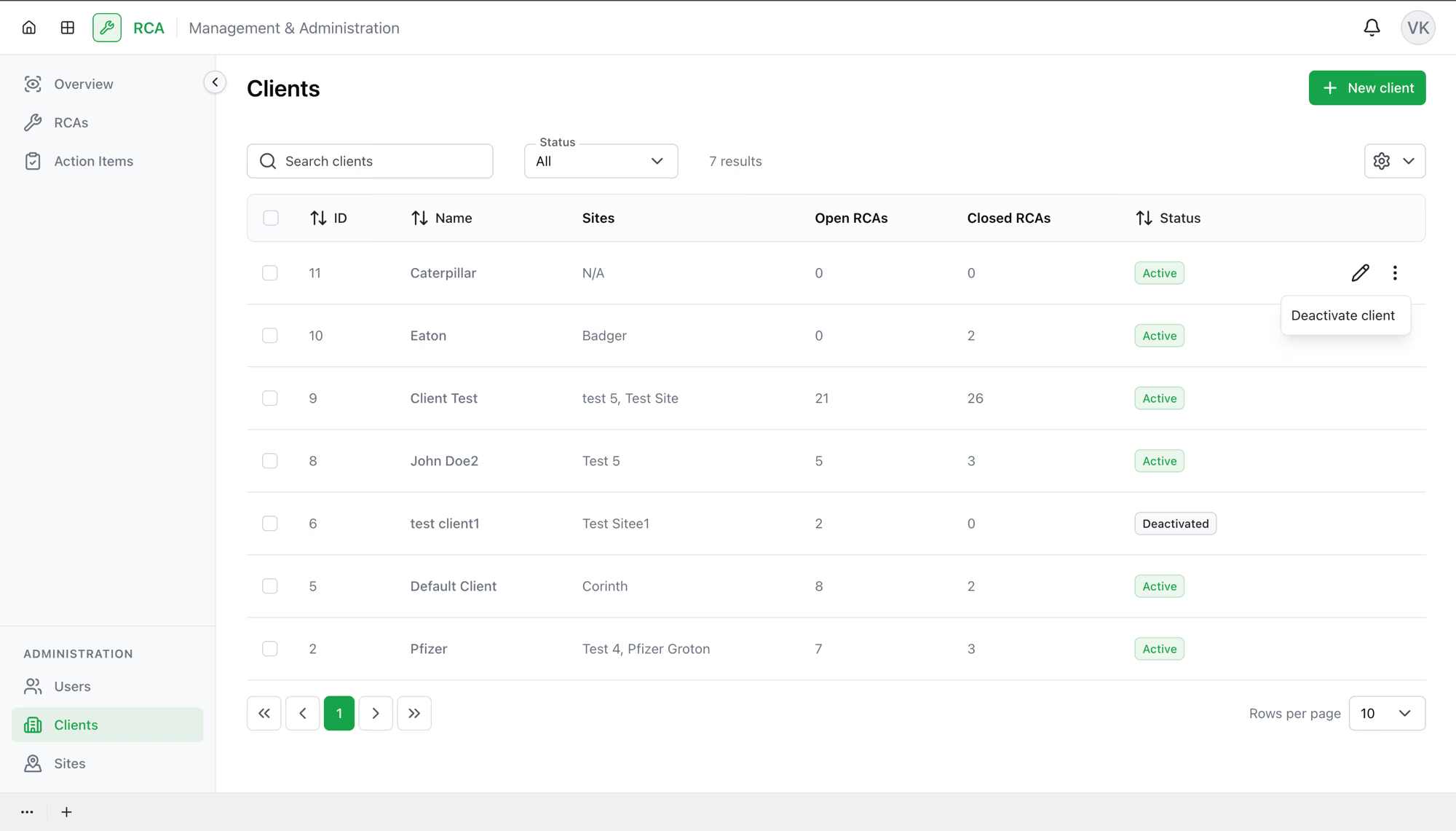
Each client row has actions:
- View Details — open the client to see its information and its RCAs.
- Edit — rename the client.
- Deactivate client — set the client to Deactivated. Its record and history stay, but it's no longer active.
- Activate client — restore a deactivated client.
- Delete client — remove the client entirely.
Doing several at once
Select multiple clients with the row checkboxes to Deactivate, Activate, or Delete the whole selection at once. Only actions that apply to every selected client are offered.
What's next
- Manage the client's sites — add and edit the sites RCAs are raised against.
- Browse the RCA list, filtered by client on the dashboard.
Troubleshooting
| Problem | What to do |
|---|---|
| You don't see the Clients page | It's available to administrators only. |
| A client has no sites | Sites are added separately — open the client and add its sites, or manage them from Site management. |
| A deactivated client still shows RCAs | Deactivating keeps the client's record and history; it doesn't remove past RCAs. |
| A bulk action isn't offered | Bulk actions appear only when they apply to every selected client (e.g. select only active clients to deactivate). |