
Appearance
Documents & attachments
You can attach supporting documents to an RCA and to individual action items — photos, PDFs, spreadsheets, and other common file types. Documents are also required at two key points, so it's worth knowing where they fit.
Where documents are used
- On the RCA — evidence and supporting material for the analysis as a whole.
- On an action item — evidence that the assigned work was done.
The upload and management steps are the same in both places.
Uploading documents
- Open the Documents section (on the RCA or on an action item).
- Select Upload documents, or drag and drop files onto the panel.
- An upload-progress indicator shows each file as it uploads; images preview in a grid.
Common file types are supported — images, PDFs, Office documents, and more.
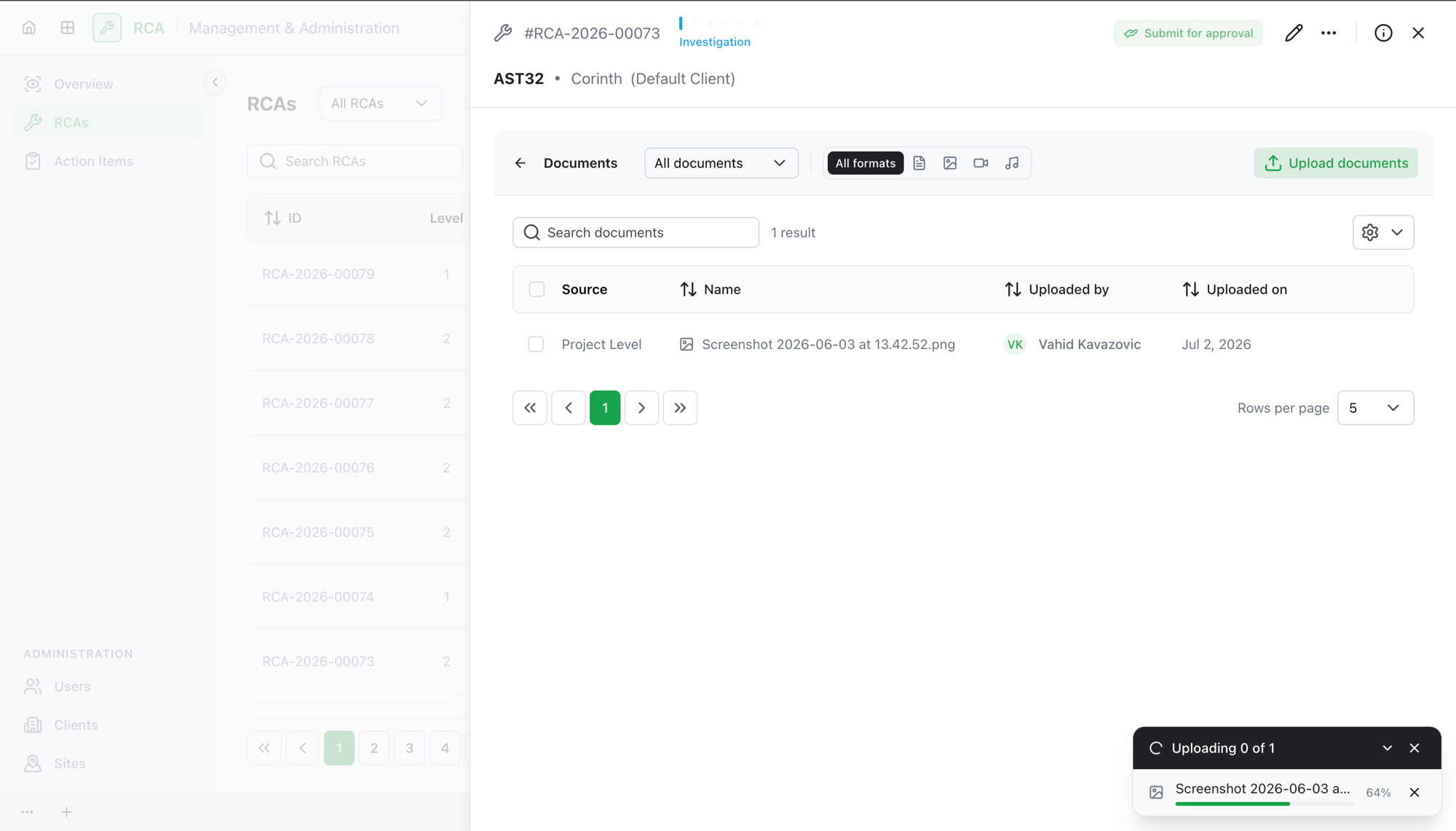
Managing documents
Once uploaded, you can:
- Download a document.
- Rename it.
- Replace it with a new file.
- Delete it.
Documents are required to submit
A supporting document is mandatory at two points:
- Submitting an action item for approval — the assignee must add a note and upload at least one document.
- Submitting a Level 2 RCA for review — you need the root cause identified and summarized, a proposed solution, at least one corrective action, and at least one document.
What's next
- Work an action item — add your note and evidence documents, then submit.
- Submit the L2 RCA for review once documents and the other requirements are in place.
Troubleshooting
| Problem | What to do |
|---|---|
| Submit for approval (action item) is unavailable | The assignee needs to add a note and upload at least one document first. |
| You can't submit the L2 RCA for review | Submitting needs at least one document alongside the root cause, proposed solution, and a corrective action. |
| A document uploaded to the wrong place | Delete it and re-upload it in the right section (RCA vs. the specific action item). |