
Appearance
Create a Level 2 RCA
A Level 2 RCA is the full, team-based investigation with a formal approval chain. You create it through a 3-step wizard, then run the investigation. Use it for serious failures. (Not sure which level to use? See RCA levels: L1 vs L2.)
Before you start
- You need permission to create and own an RCA (the administrator, approver, or contributor role).
- Have the incident details ready — the wizard asks for site and asset data, when and how the incident happened, and who's on the team and in the approval chain.
The wizard
Select New RCA, then Level 2. The form has three steps. Complete each and select Next; the wizard checks the required fields before letting you move on. On the last step you Submit.
Step 1 — Site Info
| Field | What to enter |
|---|---|
| RCA number | The identifier for this RCA. |
| Site | The site where the failure occurred. |
| WO number | The related work order number. |
| Application type | The application type (pick from the list). |
| Area | The area at the site. |
| Asset number | The asset the RCA is about. |
| Model number | The asset's model number. |
| OEM asset description | The manufacturer's description of the asset. |
All Step 1 fields are required.
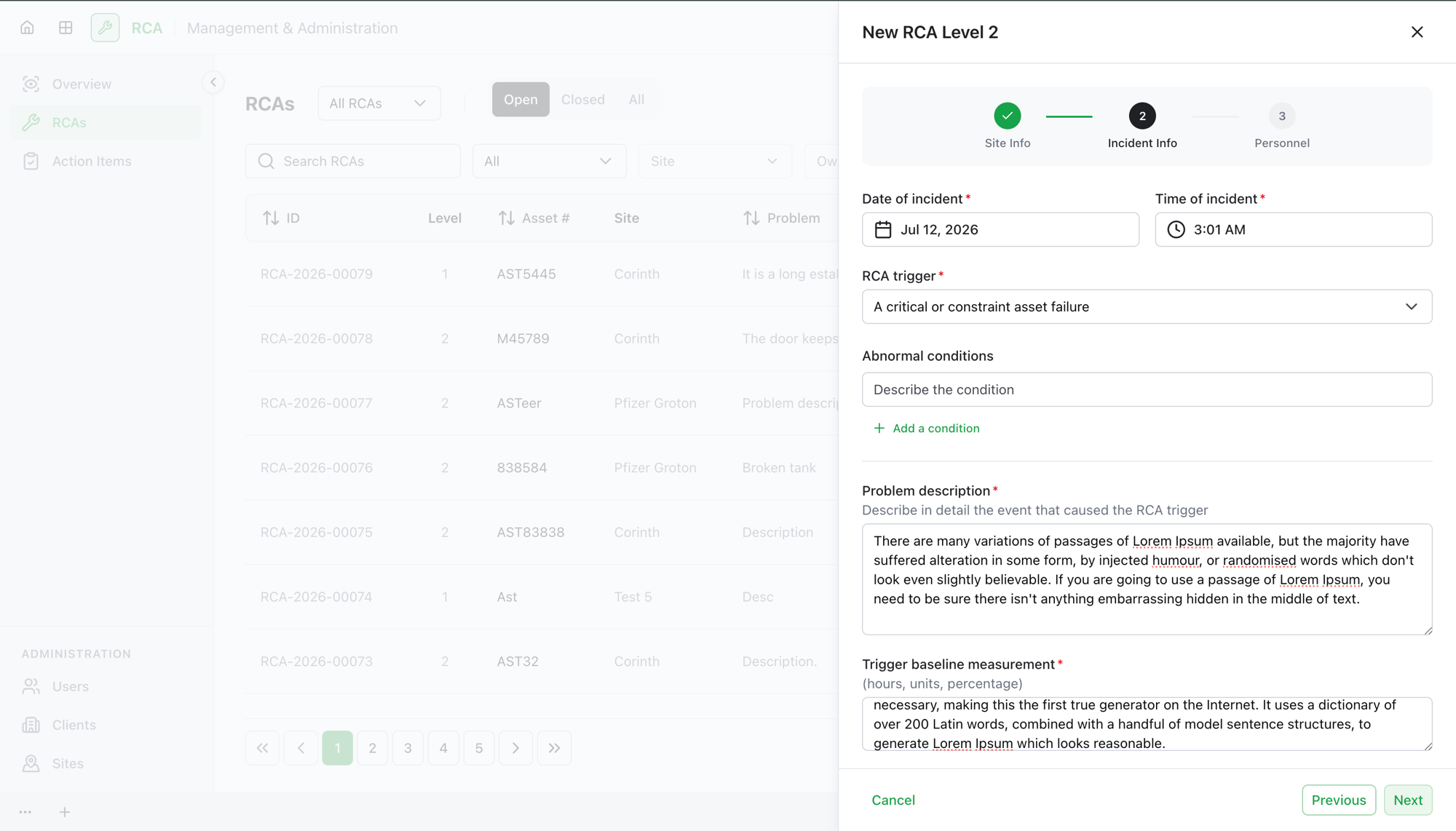
Step 2 — Incident Info
| Field | What to enter |
|---|---|
| Date of incident / Time of incident | When the incident happened. The time is recorded against the site's timezone and shown in yours. |
| RCA trigger | What triggered the RCA (pick from the list). |
| Problem description | Describe in detail the event that caused the trigger. |
| Trigger baseline measurement | The baseline the trigger is measured against (hours, units, or percentage). |
| Abnormal conditions | Any abnormal conditions at the time (optional). |
| Immediate corrective action | Any immediate action already taken (optional). |
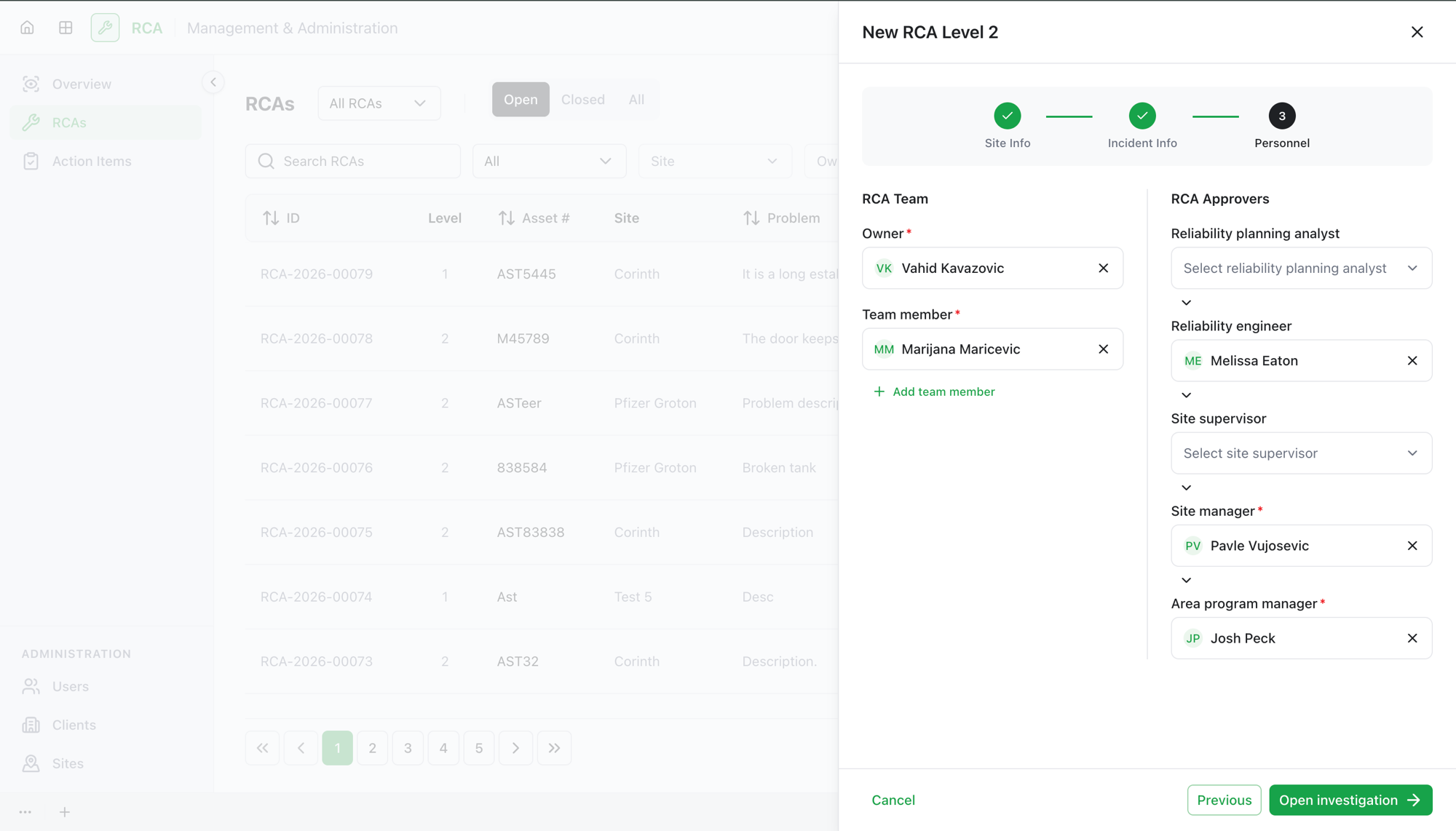
Step 3 — Personnel
Assign the team and the approval chain.
- RCA Team — the Owner (required) and any team members.
- RCA Approvers — the roles that must sign off, in the order they approve:
- Reliability Planning Analyst
- Reliability Engineer
- Site Supervisor
- Site Manager
- Area Program Manager
Submit
On the last step, select Submit. The RCA is created and its investigation opens right away — you can begin the 5-Why analysis immediately. Formal review and approval come later, once you submit the investigation for review.
What's next
- Run the investigation — build the 5-Why chain, record the root cause, and write the proposed solution.
- Submit for review — the RCA moves through the approval chain you set up here.
Troubleshooting
| Problem | What to do |
|---|---|
| Next is disabled | A required field on the current step is empty or invalid. Every Step 1 and most Step 2 fields are required. |
| An approver role has no one to select | Approvers must have the matching position (for example, Site Manager) assigned. Ask your administrator to set positions and site assignments. |
| The person you want as owner isn't in the list | Owners must have the administrator, approver, or contributor role. |